AI Automation Workflow Checklist: Six Boxes Before You Build
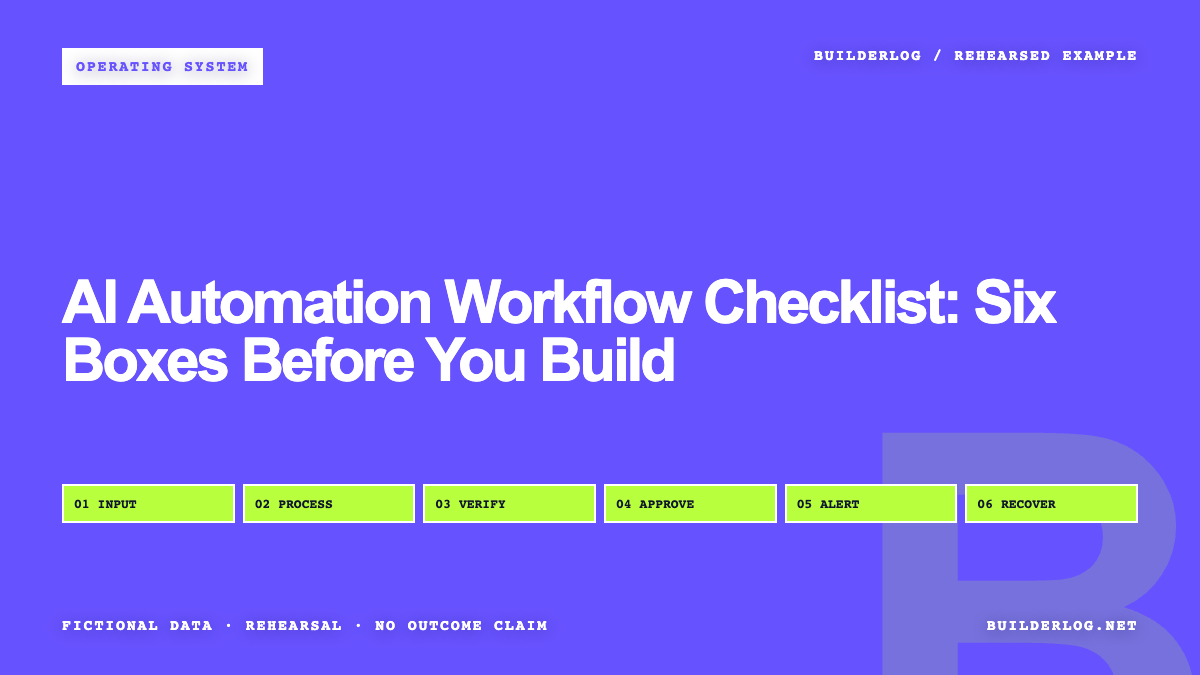
The six-box Builderlog workflow canvas connects input preparation, AI processing, validation, human approval, failure alerts, and manual recovery on one page. The practical answer is to map those boxes before choosing implementation details, then test the complete route with fictional data. Approval must sit before any consequential action, while alerts and recovery need explicit owners. This does not prove that the automation will be accurate, safe, or commercially useful. It gives a beginner a reviewable way to find missing controls before live information or irreversible actions enter the workflow.
Turn one repeated task into a free, reviewable AI Task Card. It runs locally in your browser and starts with a concrete review example.
The three-line answer:
Prepare a narrow, structured input and define the output before automating it.
Validate the result, then require human approval wherever an action could matter.
Test failure alerts and manual recovery with fictional data before considering live use.
The boxes matter more than the arrows
An automation diagram can look complete because every box has an arrow leaving it. That is a weak test. The better question is whether each box has an input contract, an output contract, an owner, and a way to stop.
The six-box canvas is a Builderlog beginner artifact:
| Box | Required decision | Evidence to retain |
|---|---|---|
| Input preparation | What information is allowed, required, or rejected? | Sanitized sample input and rejection reason |
| AI processing | What narrow transformation is requested? | Structured result and processing status |
| Validation | What rules must the result pass? | Pass, fail, and flagged fields |
| Human approval | Who may approve, reject, or edit it? | Decision, reviewer, and recorded reason |
| Failure alert | Who learns that processing or validation failed? | Alert status and failure category |
| Manual recovery | How can a person finish, retry, or cancel safely? | Recovery action and final state |
This is not an official checklist from any source reviewed here. It is an owned way to place compatible guidance on one sheet without pretending that the sheet has been independently validated.
A workflow is not reviewable if nobody can explain what happens after a failed validation.
Begin with a workflow small enough to stop
The evidence packet was reviewed on August 13, 2026. A public AI workflow starter worksheet begins with one real workflow and asks about frequency, repeatability, value, complexity, and risk. It recommends choosing the narrowest useful version, adding explicit human review, and defining stop or escalation conditions.
That supports a conservative starting point. It does not validate this canvas or establish a universal readiness threshold.
Consider a fictional “convenience store BOGO deals app.” A broad workflow might collect promotions, interpret terms, rewrite listings, publish updates, and contact customers. That is too much for an initial map. A narrower version could accept a fictional promotion record and produce a draft summary for review. Publication and customer communication remain outside the automation.
The intended purpose should fit in one sentence:
Convert an approved fictional promotion record into a structured draft that a designated reviewer may edit, reject, or approve.
If the sentence includes several unrelated verbs, split the workflow. If the action cannot be interrupted, reduce its authority.
Give the input a contract
“Send the data to AI” is not an input specification. The first box should state where the input comes from, which fields are required, which content is prohibited, and what happens when something is missing.
For the fictional promotion draft, the input might contain a product label, offer type, valid period, and source note. The test should also include intentionally incomplete, contradictory, unusually long, and irrelevant records. These are categories, not a claim that every production exception has been covered.
Do not use real customer details, credentials, private documents, or live operational records for this rehearsal. Fictional data lets the team inspect routing and permissions without exposing actual information. It cannot reproduce every third-party outage, permission problem, adversarial input, or unexpected production dependency.
The output also needs a contract. Prefer named fields and allowed status values over an open-ended block of prose. Structured output makes validation easier, but structure alone does not make the content correct.
Fictional data lowers the cost of discovering a broken route; it does not prove the live route is safe.
Validation and approval are different jobs
Validation checks whether an output follows known rules. Human approval decides whether it should proceed in context.
A validator might reject a missing source note, flag an unsupported date, or detect a status outside the allowed set. It cannot decide every legal, reputational, security, or business question. A human reviewer should see the original input, generated draft, validation findings, and proposed next action together.
The reviewed risk-management core says intended purpose, context, scope, and requirements should be documented. It also calls for defined human-oversight responsibilities, go-or-no-go decisions, and monitoring after deployment.
The reviewed agent security guidance recommends least privilege, structured outputs, validation, audit trails, interruption or rollback mechanisms, and explicit approval for high-impact or irreversible actions.
For this checklist, that means approval is a recorded state, not a decorative button. The reviewer needs clear choices: approve, edit, reject, or escalate. Silence and timeouts should not become approval.
No reviewed source supports autonomous payment, deletion, permission changes, publication, or customer communication without context-appropriate human review.
Failure needs its own route
The happy path is input, processing, validation, approval, and action. The failure path deserves equal space.
Write down what should happen when processing stops, the output is malformed, validation fails, the reviewer is unavailable, or a downstream action cannot be confirmed. Each condition needs an alert recipient and a safe resting state. “Try again automatically” is incomplete unless retry limits, duplicate prevention, and escalation are defined.
Manual recovery should explain how a person can inspect the last known state, correct the input, rerun only the safe portion, complete the task manually, or cancel it. Preserve enough history to distinguish a new attempt from a duplicate.
An alert without an owner is only a delayed surprise.
Rehearse and package the canvas before connecting live work
Use this reproduction method:
- Write one sentence describing the narrow purpose and excluded actions.
- Create fictional examples for an acceptable input, an invalid input, and an ambiguous input.
- Define required fields, prohibited content, and rejection behavior.
- Specify the output fields and allowed states.
- Add deterministic validation rules where possible.
- Assign a named role for approval, rejection, editing, and escalation.
- Keep consequential actions behind explicit approval.
- Trigger each failure category deliberately and confirm that the alert reaches its owner.
- Perform manual recovery from the retained state.
- Record what the rehearsal could not test.
- Make a go-or-no-go decision before introducing live data.
The OpenAI Academy AI workflow packager, dated 2026-07-07, adds an important operating test after rehearsal: another person should be able to understand, run, review, support, and maintain the workflow without the original builder in the room. Its package includes the reusable asset, supported evidence, human-review points, known limits, owner, support route, fallback, review cadence, and change protocol. That guidance supports documenting the six boxes as an operating package; it does not validate this canvas or prove an outcome.
The final artifact should fit on one page. Attach a descriptive caption if published as a diagram: “Comparison diagram showing the normal route across the six boxes, with validation failures diverted to an owned alert and manual recovery path.”
The evidence sets a boundary, not a result
Demand exists at the query-surface level: local collection recorded 10 autocomplete suggestions for “AI automation workflow” on August 12, 2026. That is a dated attention signal only. It is not evidence of search volume, ranking difficulty, buying intent, or conversion.
More importantly, none of the reviewed material proves that this canvas improves productivity, revenue, reliability, safety, or accuracy. Human review and validation can reduce some risks, but they do not guarantee correctness, legality, security, or fitness for a particular business.
My final decision is therefore narrow: use the six-box canvas as a pre-build review artifact and rehearse it with fictional data. Do not move to live inputs when the purpose is vague, approval authority is missing, a consequential action cannot be interrupted, or manual recovery has not been demonstrated.
Related build logs
- AI Workflow for Beginners: A Five-Box Map Before Automation
- AI Agent vs Automation: Use AI for One Uncertain Decision
Map the six-box AI automation workflow, test every route with fictional data, and stop if approval, alerts, or recovery lack an owner.